The short answer
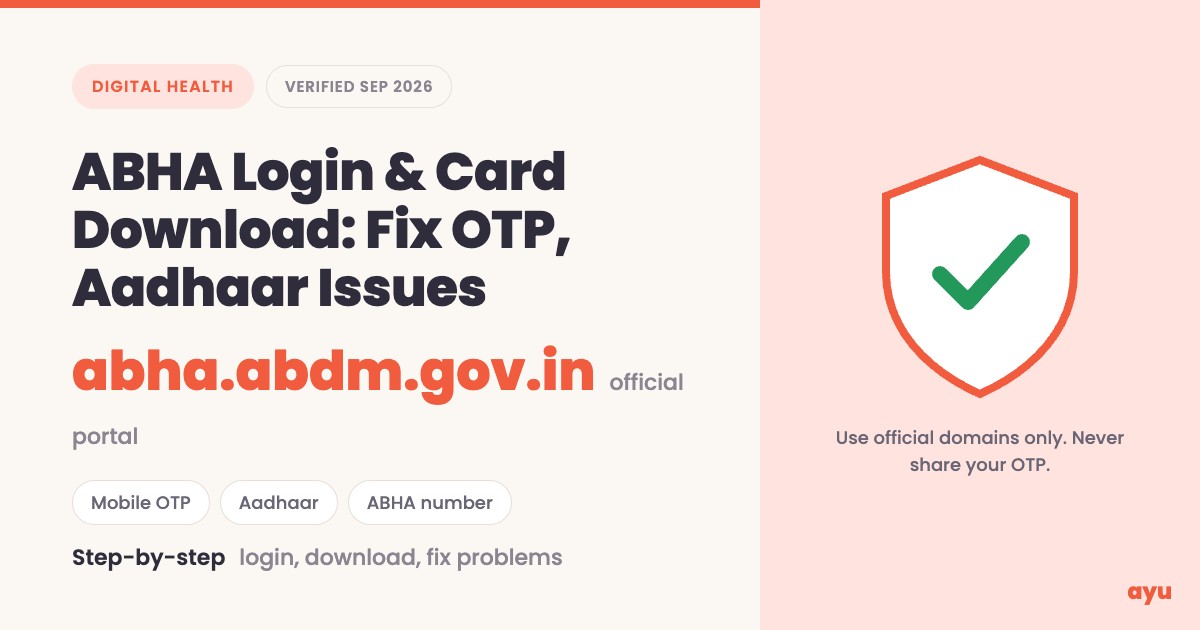
The old healthid.ndhm.gov.in address has been replaced by abha.abdm.gov.in. To log in, open that site, choose ABHA Login, pick the Mobile Number, Aadhaar Number or ABHA Number tab, and confirm with an OTP. Then download your ABHA card from your profile. Forgot your number? Use the recover option.
Which website is the real ABHA login now?
If you searched for "healthid.ndhm.gov.in", "health id ndhm gov in" or "healthid.ndhm.gov.in login", you were probably looking for the original Health ID portal. That portal is now superseded. The National Health Authority (NHA) moved the ABHA site to abha.abdm.gov.in and asked users to bookmark the new address. When we checked on 21 September 2026, the old healthid.ndhm.gov.in address did not load for us at all, so do not rely on it.
Here are the addresses to trust, all on government domains:
| What you want to do | Official address | What we saw there |
|---|---|---|
| Create, log in to or recover your 14-digit ABHA number | abha.abdm.gov.in | Redirects to the ABHA portal home with Create ABHA Number, ABHA Login and Support menus |
| Create or use an ABHA address (the username-style ID) and the ABHA app | phr.abdm.gov.in | Page titled "ABHA patient application" with Create ABHA Address and Login buttons |
| Read about the mission, find support | abdm.gov.in | NHA home page, toll-free helpline and grievance portal link |
| Report a problem officially | grievance.abdm.gov.in | Grievance portal linked from the ABHA portal footer |
One wrinkle: the footer of abdm.gov.in currently links its ABHA entry to a healthid.abdm.gov.in address. That is still an ABDM subdomain, but we could not load it ourselves, so the address that government explainers and the portal itself use, and the one we recommend, is abha.abdm.gov.in.
New to ABHA? This guide is about logging in, downloading and fixing problems. For what ABHA is and why it exists, read our explainers: ABHA Health ID in India, What is ABHA ID? Benefits for Indian patients and What is ABHA? Why Indian patients should get one. Those older posts may still mention the old healthid.ndhm.gov.in address; use abha.abdm.gov.in instead.
ABHA number vs ABHA address: which one are you logging in with?
People often mix these two up, and it decides where you log in.
| ABHA number | ABHA address | |
|---|---|---|
| What it is | A 14-digit number that identifies you across healthcare providers | An easy-to-remember username, for example name@abdm |
| Who chooses it | Generated for you | You choose it |
| Main website | abha.abdm.gov.in | phr.abdm.gov.in and the ABHA app |
| Why you need it | Registration at hospitals, linking records | Signing up on the ABHA app, sharing and viewing records with consent |
Both definitions come from the ABDM portal and the government's ABHA explainer. You can link your ABHA number to your ABHA address, and ABDM recommends doing so if you want health data sharing to work.
Which login method should I use?
The ABHA portal's login screen offers three tabs. Choose the one that matches what you still remember and can still access.
| Login tab | Choose it when | What you need | Watch out for |
|---|---|---|---|
| Mobile Number | You remember the mobile number you used for ABHA | That phone in your hand to receive the OTP, plus the captcha | Use the number you registered with, not a spare SIM |
| Aadhaar Number | You do not remember your ABHA number but your Aadhaar has a working mobile linked | Your Aadhaar number, the OTP on your Aadhaar-linked mobile, and ticking the consent box | If the Aadhaar mobile is lost or changed, the OTP cannot reach you |
| ABHA Number | You have your 14-digit number or ABHA card handy | The ABHA number and the captcha, then an OTP | A wrong digit will fail; copy it from your card rather than typing from memory |
The portal shows a consent declaration on the Aadhaar tab. It says your Aadhaar number is used to authenticate with UIDAI and that your personal details, excluding the Aadhaar or VID number, may be shared within the ABDM ecosystem. Read it before you tick it.
How to log in to ABHA on the website (step by step)
- Open abha.abdm.gov.in from this page, or type it into a fresh browser tab yourself. Do not click ABHA links in an SMS, WhatsApp forward or advert.
- Click ABHA Login in the top menu. The page is titled "Login To Your ABHA".
- Select one tab: Mobile Number, Aadhaar Number or ABHA Number.
- Type the number for that tab, enter the captcha, and click Next. On the Aadhaar tab, first read and tick the consent box.
- Enter the OTP you receive on the linked mobile number.
- Once verified, you should be taken into your ABHA account, where your details and card are managed.
We viewed each login screen but did not enter any number, because going further needs a real person's OTP, so steps 5 and 6 rely on how ABDM describes the process. ABDM updates its screens from time to time, so a button label may differ slightly from what we describe.
ABHA address login and the ABHA app
If you use an ABHA address (name@abdm), go to phr.abdm.gov.in, which is titled "ABHA patient application". It has a Create ABHA Address button and an "Already have an ABHA address? Login" link. The same address is what you use to sign up on the ABHA mobile app.
ABDM's own release on the app says it lets you create an ABHA address linked to your 14-digit number, link records created at ABDM-compliant health facilities, view them on your phone, and upload paper records to your health locker. It was launched as the ABHA app, previously called the NDHM Health Records app. The Android version is listed on Google Play under the package in.ndhm.phr (the link appears in the official release).
How to download your ABHA card
Your ABHA card carries your ABHA number and a QR code that a hospital can scan. To get it:
- Log in at abha.abdm.gov.in using the steps above (or open the ABHA app and log in there).
- Open your profile or account page.
- Look for the Download ABHA Card (or similar) option and tap or click it.
- Save the file to your phone or computer. Keep a copy in a safe folder and, if you like, print one.
Important honesty note: we could not complete a logged-in session (that would need someone's Aadhaar or mobile OTP), so the exact button name and file type are not confirmed in the official pages we could read. If you cannot see a download option, use the ABHA app, or ask the ABDM helpline (below).
Lost the card? You have not lost your ABHA. Your number is permanent, so log in again and download a fresh copy.
Fix common ABHA problems
| Problem | Likely cause | What to do |
|---|---|---|
| I forgot my ABHA number | You never saved the card or number | Use Forgot your ABHA number? on the login page, or the Find ABHA using mobile number link on the ABHA home page. Recovery works with your Aadhaar number or your registered mobile number |
| OTP not received | Network delay, wrong number, or the number is not the one linked | Wait a minute or two, check signal and message storage, confirm the tab and number, then request again. Avoid tapping the resend button repeatedly |
| Aadhaar OTP fails | Your Aadhaar has no mobile linked, or the linked number is lost | Use the Mobile Number or ABHA Number tab if your mobile is registered on ABHA. Otherwise update your mobile with Aadhaar first, or create your ABHA using a Driving Licence |
| Recovery asks for details I do not have | Recovery needs your basic details and access to the linked mobile | Keep your name, date of birth and mobile handy; without the linked mobile, contact ABDM support |
| Only an enrolment number, no 14-digit ABHA | Enrolled but no ABHA number yet | Use Retrieve your Enrolment number on the login page |
| Captcha keeps failing | Case or characters misread | Refresh the captcha and retype carefully |
| Old healthid.ndhm.gov.in link will not open | The portal has moved | Open abha.abdm.gov.in |
| Site or app is slow or shows an error | Traffic or a temporary issue | Try again later, then contact the helpline |
If you forgot your ABHA number
- Go to abha.abdm.gov.in and click ABHA Login.
- Click Forgot your ABHA number? under the Next button. This opens the "Recover ABHA Number" page.
- Choose Aadhaar Number or Mobile Number, as the page says you can recover using either.
- Complete the captcha and follow the prompts. The page notes that recovery requires basic details and access to your linked mobile.
If the OTP does not arrive
The OTP goes to the mobile number tied to the option you chose: your registered mobile for the Mobile tab, your Aadhaar-linked mobile for the Aadhaar tab. First confirm that you chose the right tab and typed the right number. Then check that the phone has signal and free message storage, wait, and request a new OTP once. If it still does not come, try another login tab that uses a number you can access, or call the helpline.
If your Aadhaar has no mobile number linked
The portal's own recovery page says recovery needs access to your linked mobile, so an Aadhaar without a working mobile will block the Aadhaar OTP route. You have two options. First, the ABHA portal offers Driving Licence as a second way to create an ABHA number. Second, you can get your mobile number updated against your Aadhaar through the Aadhaar issuing authority, UIDAI. We did not test UIDAI's current process, so check their website or your nearest Aadhaar centre.
ABDM support: toll-free 1800-11-4477 (ABDM's home page also shows 14477), email abdm[at]nha[dot]gov[dot]in (written this way on the portal to deter spam), or the official grievance portal.
Is my UHID the same as my ABHA number?
No. A UHID is issued by one hospital and only works there. ABHA is a national 14-digit ID under the Ayushman Bharat Digital Mission that any ABDM-linked provider can use. You will usually have one ABHA and a separate UHID at each hospital you visit. For the detailed breakdown, including OPD, IP and MRD numbers, see UHID, ABHA, OPD number and MRD number explained and UHID number in Indian hospitals.
Link your ABHA at the hospital counter
You do not need to type your ABHA number into a form at the hospital. Two routes are described in official material.
1. Scan and Share. Many ABDM-enabled hospitals display a QR code at the OPD counter. You scan it with the ABHA app or another ABDM-enabled health app (the government's release names Aarogya Setu, EkaCare, DRiefcase, Bajaj Health and PayTM as examples). Your ABHA profile details, such as name, age, gender, address and mobile number, then go straight to the hospital's system, and you collect your OPD slip at the counter. The service began in October 2022 and the government reported over 3 crore OPD tokens by June 2024.
2. Ask the desk. If the hospital has no QR code, ask the registration desk whether they can attach your ABHA number to your existing UHID. Whether and how a hospital links the two depends on its own software, and we did not find a single official step list for it, so treat the desk's process as the rule. Some counters may also scan the QR on a printed ABHA card, so it helps to carry one.
You are always in control of sharing. The government's explainer says consent is granular: you can approve specific records rather than everything, and health records stay with the provider that created them.
Stay safe: fake ABHA sites and OTP scams
Because so many people search for ABHA login and ABHA card download, look-alike sites exist. Follow these rules.
- Use the official addresses: abha.abdm.gov.in or phr.abdm.gov.in. Official pages end in .gov.in.
- Avoid third-party "ABHA card download" sites. The government's explainer says an ABHA can be generated free of cost, so be wary of anyone asking for money or asking you to install something.
- Never share an OTP with a caller, an agent or a chat, even one claiming to be from ABDM or your hospital.
- Do not send Aadhaar photos over WhatsApp to "help" you download your card.
- Check the lock icon and the domain before entering anything.
- Report suspicious sites or calls via the official grievance portal or the helpline.
Keep everything in one place with Ayu
ABHA links records from participating hospitals, but many reports still arrive as paper, PDFs or WhatsApp images. The Ayu app lets you keep those alongside your ABHA card and each hospital's UHID, so a family member or doctor can find them without a login hunt. See also managing elderly parents' medical records.
Coming soon: in the next few months we are adding ABHA ID creation and ABHA management to Ayu, so your ABHA number, hospital IDs and health records can live together in one app. Download Ayu to be first to see it.
Get the Ayu app on Android or on iPhone.
Frequently Asked Questions
Quick answers on ABHA login, card download and common problems
Sources checked
We checked the ABHA portal, the ABHA address application and the ABDM home page directly on 21 September 2026, along with the Press Information Bureau releases linked in the references. Where we could not verify a step, such as the exact button name inside a logged-in account, we have said so above.
Disclaimer
This guide is for general information and is not an official ABDM publication. Government portals change often, so if a screen looks different, follow the on-screen instructions and use the official helpline. Never share OTPs, and do not enter Aadhaar details on any site you did not reach by typing the official address.